Skip to main content Skip to docs navigation

Primary navigation components positioned at the top of pages, containing site branding and main navigation links.

This documentation is a work in progress and may contain incomplete or outdated information. If you have any feedback or suggestions, please open an issue on GitHub.

Variants

Different configurations and states available for navbar components to accommodate various navigation requirements, screen sizes, and user interaction patterns. These variants provide flexibility in appearance, behavior, and functionality while maintaining design consistency across different navigation contexts and device environments.

Individual interactive elements that represent navigation options within navbar structures. These components serve as the core building blocks for horizontal navigation systems, adapting their visual state based on user interaction and current page status to provide clear navigation feedback and maintain consistent user experience across all navigation scenarios.

State Variants

Interactive states that affect user interaction capabilities and visual feedback based on current user activity and navigation status. These variants communicate the nav item's availability and current selection state while guiding users through successful navigation.


Navbar variant example image Navbar variant example image

Idle

Standard appearance of a navigation item when not being interacted with and not representing the current page. Neutral styling indicates the navigation option is available for selection and provides clear clickable target.

Navbar variant example image Navbar variant example image

Hover

Enhanced visual feedback when a user hovers over a navigation item, indicating interactive availability. Elevated styling signals potential navigation action and guides user attention to available navigation options.

Navbar variant example image Navbar variant example image

Active

Highlighted state indicating the currently selected or active page within the navigation sequence. Distinct styling provides clear feedback about current location and maintains positional awareness within site navigation.

Navbar variant example image Navbar variant example image

Disabled

Non-interactive state for navigation items that are not currently accessible due to permissions, restrictions, or system conditions. Reduced visual prominence indicates unavailability while maintaining interface structure and layout consistency.

Primary navigation containers that provide horizontal site navigation and main menu functionality across different screen sizes. These components serve as the foundational navigation interface for web applications, adapting their size and behavior based on device requirements and content organization to provide clear navigation access and maintain consistent user experience across all viewport scenarios.

Size Variants

Dimensional configurations that control the navbar scale and navigation presentation to optimize usability across different screen sizes and interface contexts. These variants determine the spatial organization and navigation accessibility for various display environments.


Navbar variant example image Navbar variant example image

Large

Expanded navbar dimensions optimized for desktop environments and comprehensive navigation interfaces. Use for desktop layouts, full-width navigation, detailed menu structures, or when providing extensive navigation controls with enhanced visibility and interaction areas.

Navbar variant example image Navbar variant example image

Small

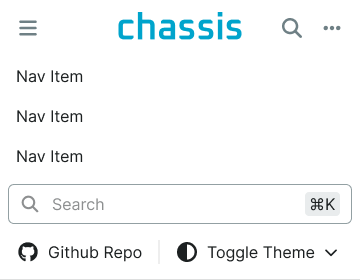
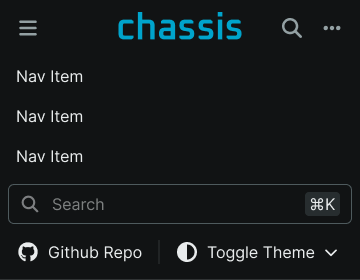
Compact navbar dimensions optimized for mobile devices and space-constrained interfaces. Use for mobile layouts, responsive navigation, condensed menu structures, or when screen space requires efficient use while maintaining clear navigation functionality.