Contextual feedback components that communicate information, success confirmations, warnings, or errors to users in response to their actions.
On this page
This documentation is a work in progress and may contain incomplete or outdated
information. If you have any feedback or suggestions, please open an issue on GitHub.
Different configurations and states available for message components to accommodate various communication requirements, conversation patterns, and messaging interface needs. These variants provide flexibility in appearance, behavior, and organizational structure while maintaining design consistency across different messaging contexts and conversational scenarios.
Chat Message
Interactive message elements that display user communications within conversational interfaces. These components serve as the primary content containers for messaging systems, adapting their appearance and layout based on message origin, conversation context, and visual presentation requirements to provide clear communication flow and maintain consistent user experience across all messaging scenarios.
Type Variants
Message presentation configurations that determine the visual layout and spatial organization based on message origin and conversation context. These variants control the message positioning and visual hierarchy to match different messaging patterns and user interaction flows.
Sent
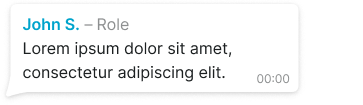
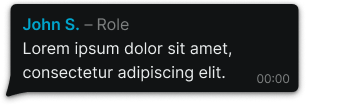
Outgoing message presentation with left spacing for user's own messages. Use for messages sent by the current user, personal message indication, or when providing clear visual distinction between user's own content and received communications.
Received
Incoming message presentation with sender identification and right spacing for external messages. Use for messages received from other users, group conversations, or when providing clear sender context and message origin identification.
Group
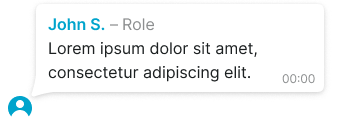
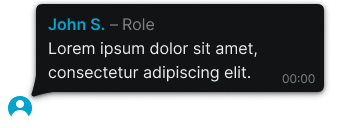
Group conversation presentation with avatar positioning and enhanced spacing for multi-user discussions. Use for group messaging, team communications, multi-participant conversations, or when providing clear user identification within collaborative discussion contexts.
Appearance Variants
Message appearance configurations that determine the visual presentation and contextual indicators based on message sequence and conversation flow. These variants control the visual context and conversation continuity indicators.
Continuous
Standard message appearance without additional contextual indicators for regular conversation flow. Use for most message implementations, continuous conversations, or when maintaining standard message presentation without special emphasis.
Final
Final message appearance with message tail for conversation conclusion or message sequence ending. Use for conversation endings, message sequence completion, or when providing clear visual indication of message timing context within conversation flow.
Message Status
Status indication elements that display message delivery and read states within messaging interfaces. These components serve as feedback mechanisms for message transmission, adapting their appearance based on delivery status and read confirmation to provide clear communication status and maintain user awareness of message states.
Type Variants
Status presentation configurations that determine the visual feedback and delivery state communication within messaging interfaces. These variants control the status indication approach to match different messaging system requirements and user feedback patterns.
Pending
Transmission status indicating message is being sent or processed. Use for ongoing message transmission, network processing, or when providing immediate feedback about message sending progress.
Delivered
Delivery status indicating message has been successfully transmitted to recipient. Use for delivery confirmation, transmission success feedback, or when providing clear indication of message receipt by messaging system.
Seen
Read status indicating message has been viewed by recipient. Use for read confirmation, message visibility feedback, or when providing clear indication of message consumption by intended recipient.
Embed Item
Rich content elements that display embedded media, references, and contextual information within message interfaces. These components serve as content enhancement tools for messaging systems, adapting their presentation based on content type and contextual requirements to provide clear media integration and maintain consistent user experience across different embedded content scenarios.
Type Variants
Content presentation configurations that determine the visual layout and media integration approach within embedded message content. These variants control the content display method to match different media types and contextual presentation requirements.
Image
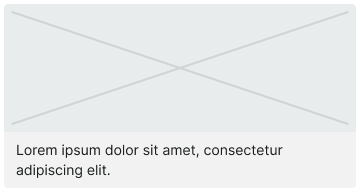
Full-width image presentation with optional text content for media sharing. Use for photo sharing, visual communication, media-rich messages, or when providing comprehensive image display with supporting textual context.
Reply
Quoted message presentation for conversation threading and reference context. Use for message replies, conversation threading, contextual references, or when providing clear connection between current message and previous communication.
Image Reply
Quoted image thumbnail presentation for visual reference context. Use for image replies, visual conversation threading, media references, or when providing compact image context within reply structures.
Message Form
Input interface elements that enable users to create, format, and submit message content within messaging systems. These components serve as the primary content creation interface for conversational communication, managing input functionality, submission controls, and content formatting while maintaining consistent interaction patterns across different messaging scenarios.
Type Variants
Input interface configurations that determine the functionality and feature set available within message creation interfaces. These variants control the input complexity and feature availability to match different messaging requirements and user interaction patterns.
Basic
Standard input interface with essential messaging functionality for straightforward text communication. Use for simple text messaging, basic conversations, minimal feature requirements, or when providing streamlined message creation without complex formatting options.
Attachment
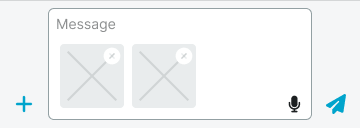
Enhanced input interface with embedded image thumbnails and media attachment capabilities. Use for media sharing, visual communication, file attachments, or when providing comprehensive content creation with embedded media preview functionality.
Disabled
Inactive input interface with informational text explaining message sending restrictions. Use for restricted conversations, blocked users, system maintenance, or when providing clear feedback about unavailable messaging functionality.
Chat Status
Conversation-level status elements that display chat context, activity states, and informational content within messaging interfaces. These components serve as contextual information providers for conversation management, adapting their presentation based on information importance and space requirements to provide clear conversation context and maintain user awareness of chat states.
Type Variants
Status presentation configurations that determine the visual layout and information hierarchy within chat status displays. These variants control the status presentation approach to match different information importance levels and space utilization requirements.
Compact
Compact status presentation with date-like information and wrapped width for minimal space usage. Use for timestamps, simple status updates, unobtrusive information display, or when providing contextual information without visual prominence.
Detailed
Full-width status presentation with single-line information display for comprehensive status communication. Use for unread message counts, activity indicators, system notifications, or when providing important conversation context with clear visibility.
Emphasized
Full-width status presentation with multi-line emphasized information for critical status communication. Use for important announcements, system alerts, conversation changes, or when providing prominent status information requiring immediate user attention.
We would like to count visits with Google Analytics, which sets cookies. Nothing is sent to Google unless you accept. Privacy notice