Design Systems That Scale & Sync. Across Brands. Across Platforms.

Chassis is the backbone of scalable design systems built for complex, evolving product ecosystems. It unifies Figma components, advanced design tokens, multi-platform transformers, asset libraries, and a fully token-synced CSS framework — all working in harmony across brands, platforms, and products.

Chassis Tokens

Enterprise-Grade Token Management

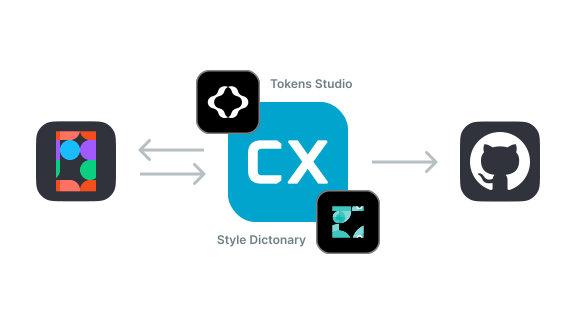
Chassis provides a scalable design token architecture to manage design decisions across your entire product ecosystem. Define, transform, and sync tokens for multiple brands — across web, mobile, or any platform.

Centralized token definitions

Create and manage design tokens directly in Figma using Variables. Sync changes automatically with your codebase.

Visual representation of centralized token definitions in Figma

Intelligent references

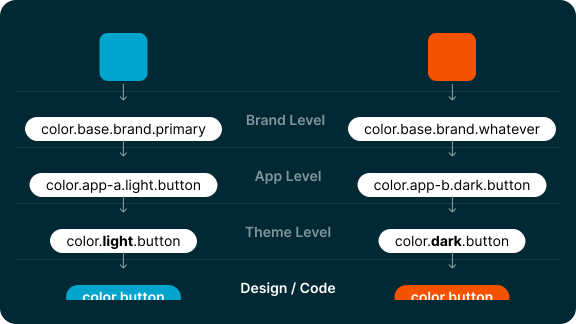
Build tokens that reference other tokens, enabling cascading updates across your entire system

Diagram showing token reference relationships and cascading updates

Cross-platform transformation

Convert tokens automatically for different platforms while preserving relationships and hierarchy

// dist/web/app-a/brand-a/main.scss
$cx-color-button: #00A4CC !default;
// dist/ios/app-a/brand-a/main.swift
@objc public static let CxColorButton = UIColor(red: 0.000, green: 0.643, blue: 0.800, alpha: 1)
<!-- dist/android/app-a/brand-a/main.xml -->
<color name="cx_color_button">#ff00a4cc</color>

Token names are simplified in these examples to focus on the core concepts.

Chassis Figma

One Library for Every Brand, Every App

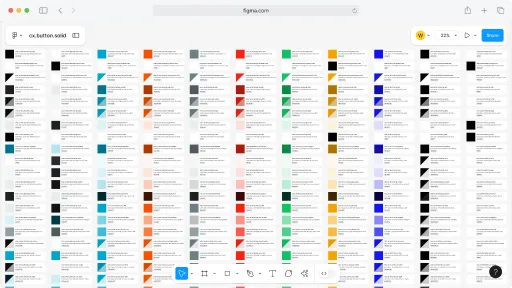
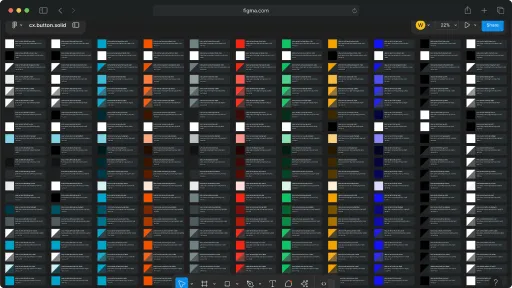
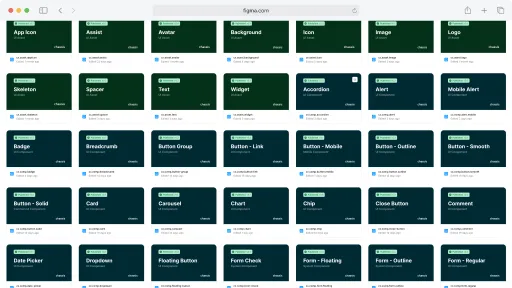
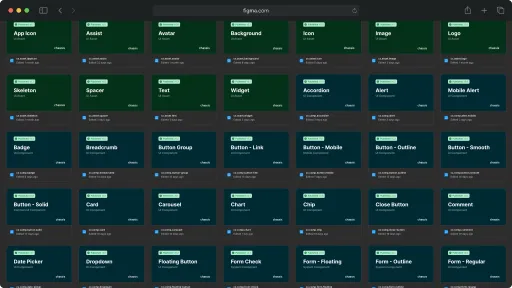
A component library built entirely with design tokens. Swap brand, application, or color mode by switching Figma variable collections. All components adapt automatically.

Contextual color system

Colors are organised by role — text, backgrounds, icons, indicators, and more — each with defined emphasis levels.

Scalable component architecture supporting multiple brands and themes Scalable component architecture supporting multiple brands and themes

Self-documented components

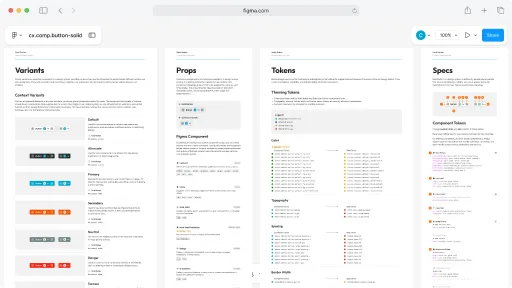
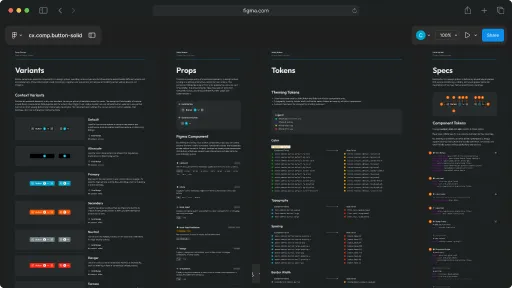
Each component file includes a documentation page covering variants, props, specs, and the design tokens it uses.

Chassis UI Chassis UI

Consistent design language

Spacing, typography, and color scales are shared between Figma and production code — what you design is what gets built.

Example of consistent design language across Figma and code Example of consistent design language across Figma and code

Chassis Styles

Code with tokens, not translation layers.

Chassis CSS generates variables and utility classes directly from the design tokens — no manual translation, no drift between design and code.

Token-generated CSS variables

Design tokens become CSS custom properties automatically. Change a token, and every component that uses it updates.

/* Token-generated CSS variables */
:root {
  --cx-font-family-text: Inter, system-ui, -apple-system, Helvetica, Arial, sans-serif;
  --cx-font-size-text-medium: 1rem;
  --cx-font-size: var(--cx-font-size-text-medium);
  --cx-default-fg-main: #1c2021;
  --cx-default-fg-main-rgb: 28, 32, 33;
  --cx-fg-main: var(--cx-default-fg-main);
  --cx-space-medium: 1rem;
  --cx-border-radius-medium: 0.375rem;
  --cx-opacity-fg-subtle: 0.5;
  --cx-separator-size: 0.0625rem;
}

Perfectly align with Figma

Utility classes are named to match Figma styles and variables — there's no guesswork translating a design spec into code.

<!-- Utility classes in action -->
<div class="primary-bg-main border primary-border-main p-medium">
  <h5 class="primary-fg-main mb-0">
    Hello World!
  </h5>
  <p class="primary-fg-subtle mb-0">
    I'm a demonstration of Chassis Styles
  </p>
</div>

Hello World!

I'm a demonstration of Chassis Styles

Context-aware utility classes

Use a CSS framework that already speaks your design system's language — no re-implementing decisions that were already made.

<!-- Context class in action -->
<div class="context info border border-main p-medium">
  <h5 class="mb-0">
    Hello World!
  </h5>
  <p class="fg-subtle mb-0">
    I'm a demonstration of Chassis Styles
  </p>
</div

Hello World!

I'm a demonstration of Chassis Styles

Chassis Assets

Asset Management for Multi-Brand Design

Eliminate scattered assets and duplicated files. Chassis provides a single, structured source to store, manage, and distribute images, icons, and fonts across all your brands and platforms.

Store files

Organize brand- and app-specific assets in structured, predictable folders.

source/
├── default/
│   └── demo/
│       ├── Hero Img.png
│       └── Hero Img@2x.png
├── chassis/
│   └── demo/
│       └── Brand Logo.svg
└── example/
    └── demo/
        └── Brand Logo.svg

Distribute assets

Automatically generate platform-optimized assets with a single script.

# Build all platforms
pnpm assets

# Build specific brand
pnpm assets --brand chassis

# Build specific app
pnpm assets --app demo

# Build with filters
pnpm assets --brand chassis --app demo

Ship confidently

Output is organised per platform and brand — correctly named and ready to use.

dist/
├── ios/demo/chassis/
│   ├── brand_logo.svg
│   ├── hero_img.png
│   └── hero_img@2x.png
└── android/demo/chassis/
    ├── drawable/
    │   ├── brand_logo.svg
    │   └── hero_img.png
    └── drawable_xhdpi/
        └── hero_img.png

Chassis Icons

Icons that ship with your system.

Icon libraries tend to grow organically — different naming conventions, inconsistent sizing, no clear ownership. Chassis Icons gives you a structured way to create, name, and distribute icons that stay consistent across design tools and codebases.

Structured icon library

A clear system for organizing icons by category, size, and variant — so every icon has a predictable location and name.

Structured icon library Structured icon library

Easy team distribution

Package and distribute icons as a versioned release. Every team gets the same set, with the same names, at the same version.

dist/
├── icons/
│   ├── chassis-icons.css
│   ├── chassis-icons.scss
│   ├── chassis-icons.svg
│   ├── chassis-icons.woff
│   └── chassis-icons.woff2
└── svgs/
    ├── icon-file.svg
    ├── icon-file.svg
    └── ...

Multiple usage formats

Icons flow from design tools into code as optimized SVGs with consistent markup. No manual cleanup needed.

---
// page.astro
import Icons from 'icons/chassis-icons.svg?raw' // for <svg><use>
import 'icons/chassis-icons.css' // for <span>
---

<svg><use xlink:href="#info-circle-solid"/></svg>
<span class="icon-info-circle-solid"></span>
<img src="/svgs/info-circle-solid.svg" alt="Info" width="24" height="24">

<div style="display: none;" set:html={Icons} />

Built for Complex Reality, Not Idealized Simplicity

Chassis is designed for the real world of enterprise product development — multiple brands, diverse platforms, distributed teams, and constant evolution.

Get in touch

Interested in how Chassis fits into an existing workflow? Share the details below.

Frequently asked questions

Common questions about Chassis packages, platform support, and integration.

Why separate packages?

Chassis is split into packages so teams can adopt only what's relevant to them — tokens, icons, CSS, or the full system. Each package has a focused scope, making it easier to integrate into an existing workflow and update independently.

Can I use Chassis UI with AI agents?

Yes. Chassis UI's modular architecture works well with AI agents. Because of its structured design approach, custom agent skills are needed to use it effectively — @chassis_design and @chassis_code skills are in development.

Does Chassis support platforms beyond web and mobile?

Yes. While Chassis UI is built primarily for web and mobile, its token-based architecture can be adapted to other platforms — desktop, smart TV, VR, or any platform that can consume design tokens and structured components.

Is Chassis suitable for small teams or only enterprise?

Chassis is designed with enterprise complexity in mind, but its modular structure makes it equally practical for smaller teams. Adopt only the packages that are relevant — a small team might start with just the token system and CSS framework, while a larger organisation uses the full suite.

Does Chassis work with React, Vue, or other frameworks?

Yes. Chassis CSS and the token system are framework-agnostic — they work with React, Vue, Angular, Svelte, or any other framework. The Figma component library and design tokens operate independently of the frontend stack.

Is Chassis open source?

Yes. Chassis is open source and available on GitHub under the MIT licence. You are free to use, modify, and distribute it in both personal and commercial projects.